⌗
QR Ordering
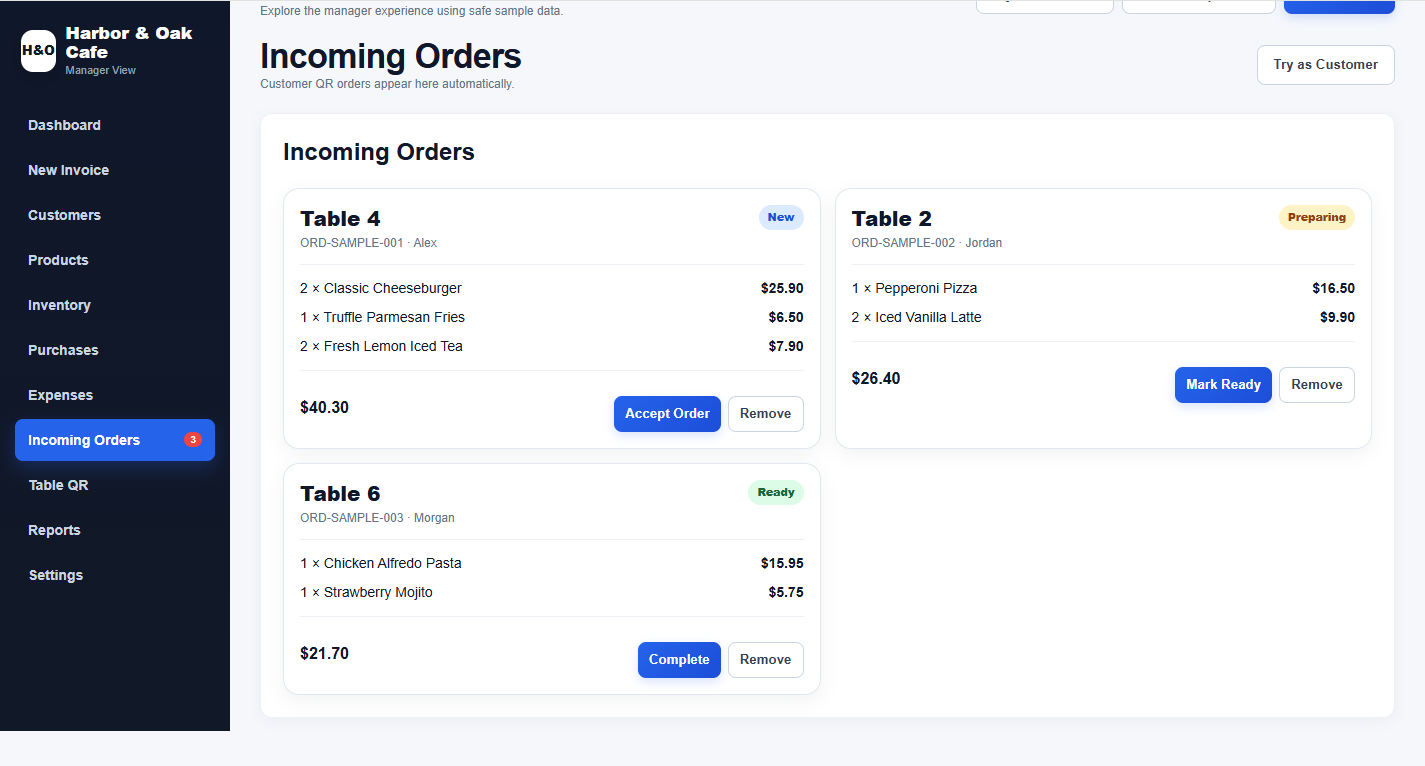
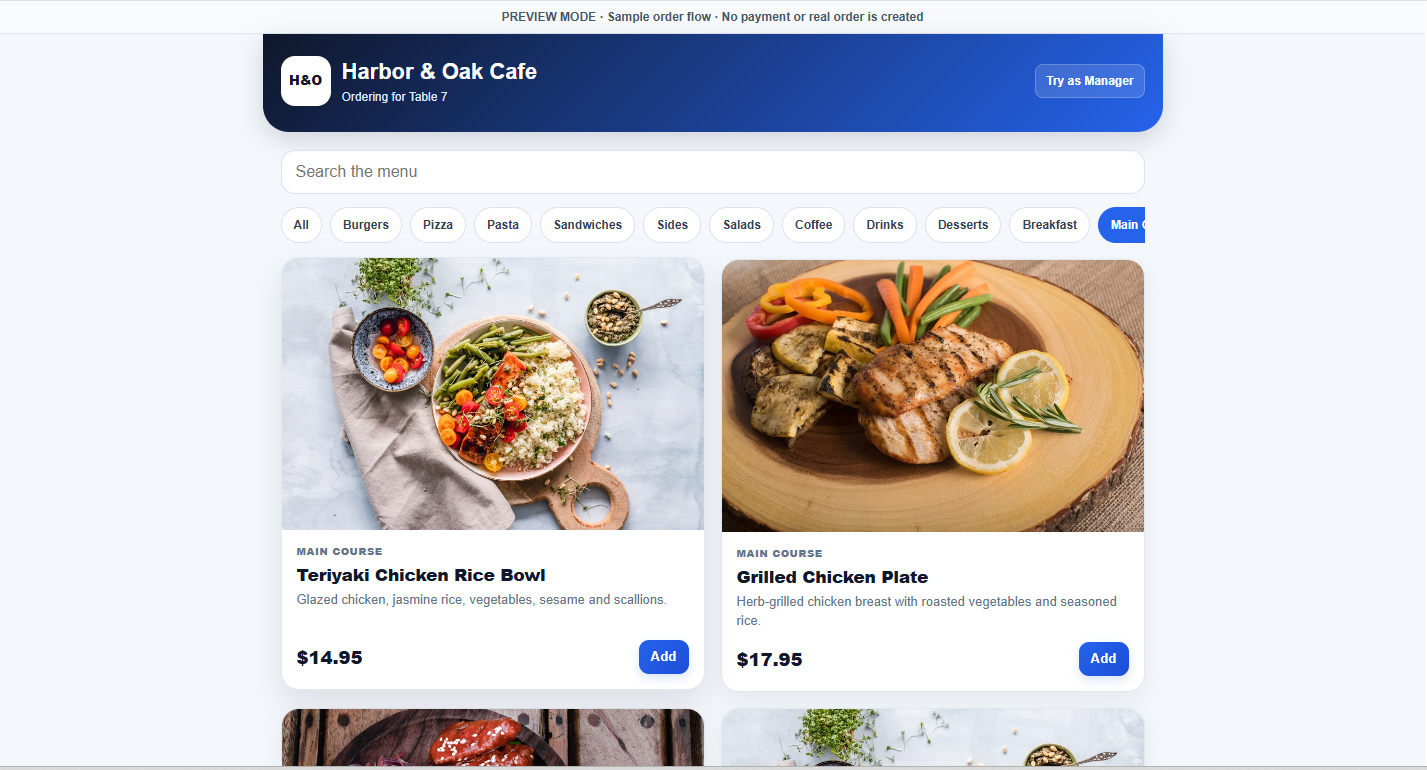
Guests browse the menu and place orders from their phones without installing an app.
Give guests a QR menu, manage incoming orders, create invoices, track inventory, record payments, manage customers and review reports — all from one professional workspace.
Keep the customer order, bill, stock, customer record and reports connected instead of repeating the same work across separate tools.
Guests browse the menu and place orders from their phones without installing an app.
Complete the order, record payment method and amount, and keep the invoice record connected.
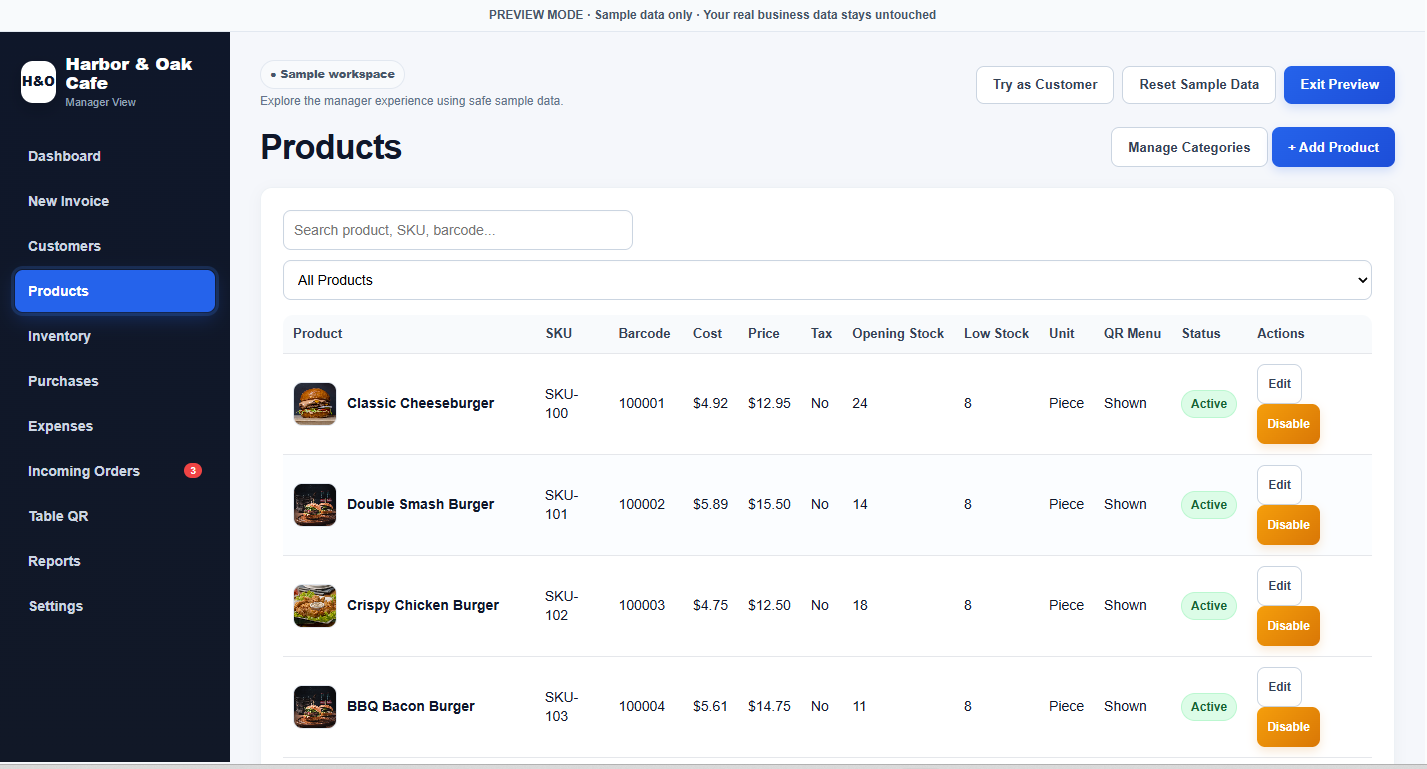
Purchases can increase stock while invoices and completed orders reduce it.
Use your restaurant name, logo, colors, menu layout and product images.
Keep customer details, purchase totals, outstanding amounts and exportable records in one place.
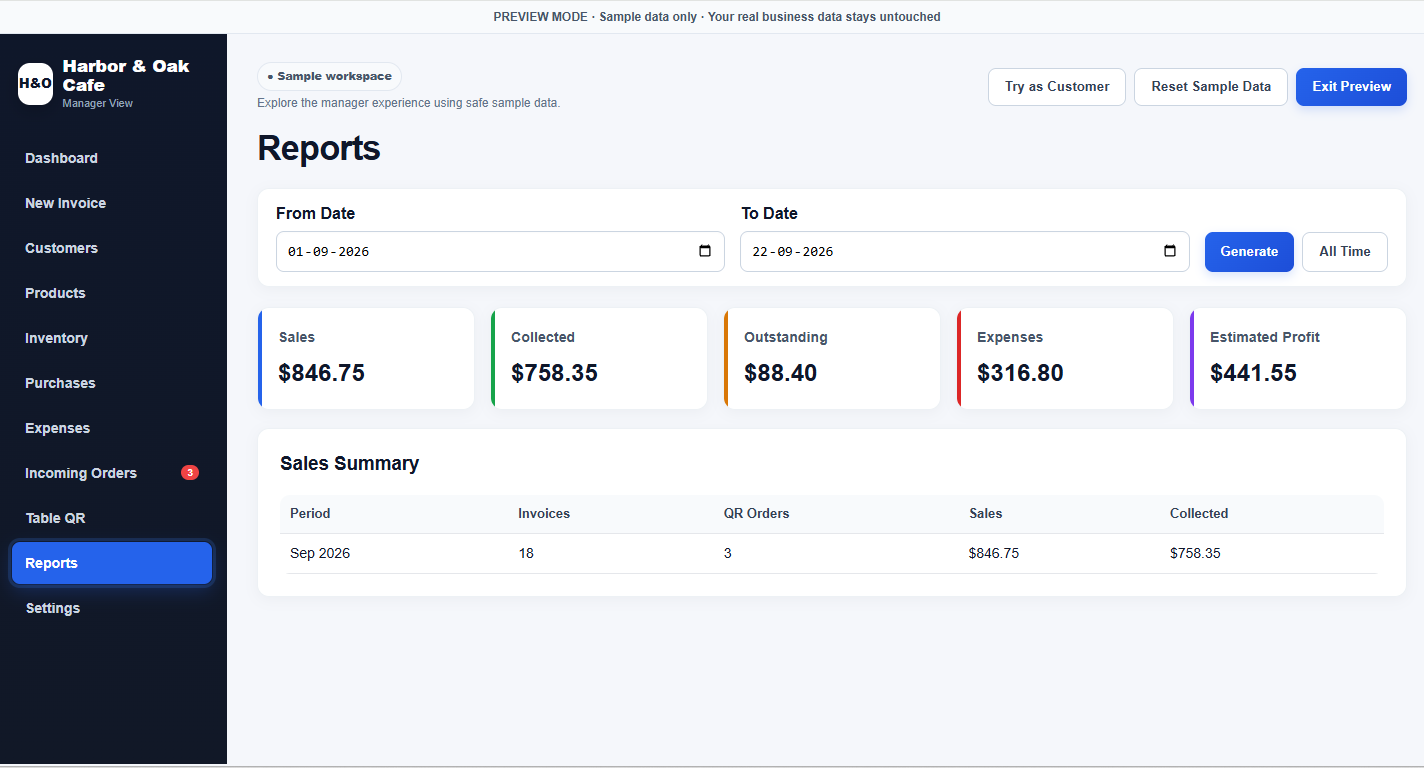
See sales, collected amounts, outstanding balances, expenses and estimated profit.
QR ordering and connected billing reduce repetitive order-taking, re-entry and admin steps. Depending on your restaurant size, service model and order volume, this can reduce the need to hire extra staff solely for repetitive order-taking or billing work.
Build a customer list from details customers choose to provide, then export and segment it for follow-up campaigns — such as new menu announcements, special offers or re-engagement messages.
Marketing should only be sent where you have the appropriate customer consent or another lawful basis under the rules that apply to your business.
One connected path from QR scan to a paid invoice.
The branded menu opens in the guest's browser.
They browse items, add food and place the order.
Incoming orders appear with table number and status controls.
Select payment method, enter amount received and keep the record.
Open the interactive demos or explore actual product screens below.
Anyone can submit a review. Every submission is moderated before it appears publicly, so spam can be removed and genuine feedback stays useful.
No monthly software subscription from us. Separate third-party hosting, email or platform limits/costs may apply depending on your setup.
Secure checkout will replace the inquiry link after payment activation.
Two reasonable post-purchase customization requests are included for branding, labels, colors, menu styling or similar setup changes. Larger new features are quoted separately.
By purchasing, you agree to the Terms and acknowledge the Refund & Delivery Policy.
Try both demos first, then ask anything before you buy.
Approve genuine reviews and delete spam before it appears publicly.